Frame 1
Store closeout
The manager completes the packet with count, proof, sign-off, and variance context while the shift is fresh.
Product walkthrough video
Use this walkthrough to see the product in the order operators experience it: the store closes, proof and variance context stay attached, reviewers see what is incomplete, and the pilot readout decides what happens next.
Buyer wants to see the workflow before booking a diagnostic.
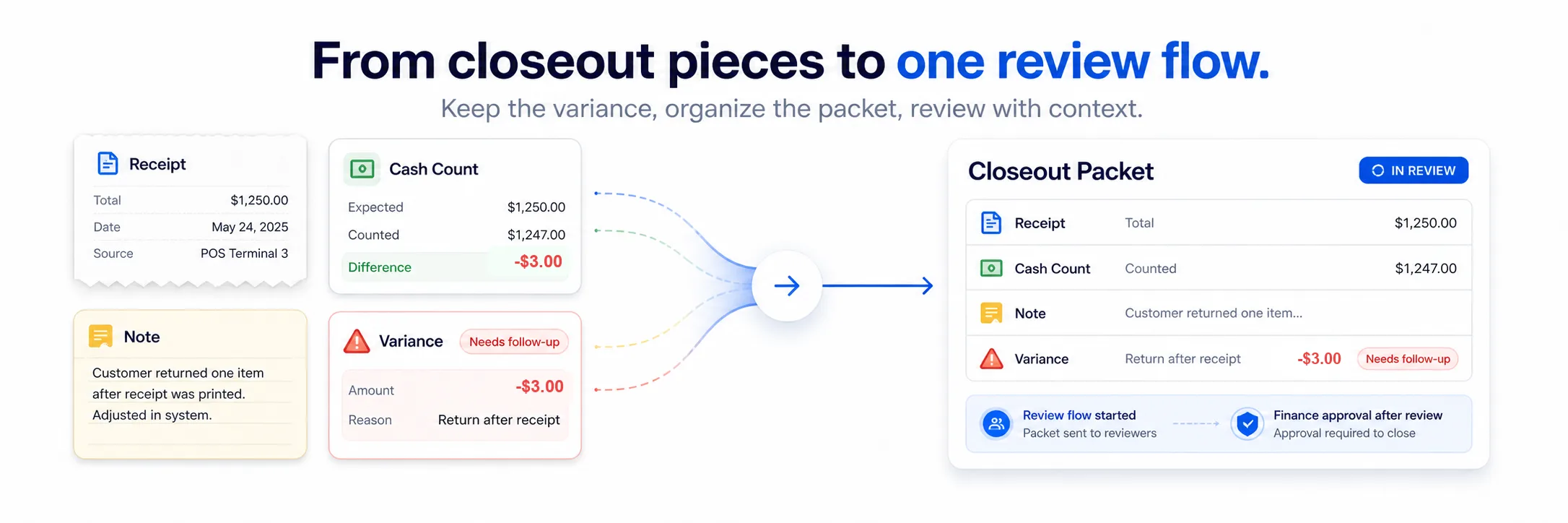
A staged product walkthrough showing store closeout, deposit proof, variance reason quality, owner routing, review queue, and Day-14 pilot readout.
Frame 1
The manager completes the packet with count, proof, sign-off, and variance context while the shift is fresh.
Frame 2
Missing proof, vague notes, and unresolved owners surface as review items instead of side-channel messages.
Frame 3
The pilot compares baseline friction with cleaner records, adoption, and unresolved exception counts.
Walkthrough sequence
The walkthrough is staged like a real closeout path. Each frame answers the buyer's question: what changes for the store, what changes for the reviewer, and what proof exists by Day 14?
Close to action. Needs specificity, risk reduction, proof, and a clear pilot path.
Store view
Proof state
Variance reason
Owner routing
Pilot readout
Questions
It should show the path from store closeout through proof state, variance reason, owner routing, reviewer status, and the Day-14 pilot readout.